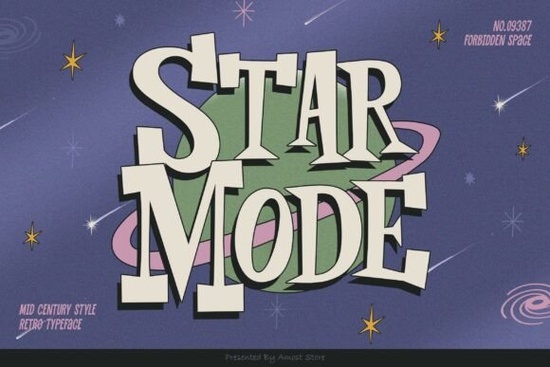
If you've been searching for a retro font that actually feels authentic, Star Mode Font is worth a closer look. It draws from mid-century design traditions think 1950s signage, vintage magazine ads, and old-school diner menus. The letterforms have a distinct slab-serif character that gives text a strong, confident presence on the page. Whether you're designing a logo, building a brand kit, or creating POD products, this font brings a specific retro mood that's hard to fake with modern typefaces.
What Makes Star Mode Different From Other Retro Fonts?
Plenty of fonts claim a "retro" or "vintage" vibe, but most end up looking generic. Star Mode is a slab serif typeface with carefully crafted proportions that stay true to mid-century typography rules. The letter spacing, stroke weight, and terminal shapes all reflect design choices from that era not just a surface-level style filter.
Here's what stands out in practical use:
- Display-friendly sizing The characters hold their shape and readability at large sizes, which matters for posters, headers, and signage.
- Works with script fonts Pair it with a classic cursive or brush script, and the combination feels balanced rather than cluttered.
- Clear personality without being loud It has visual impact, but it doesn't compete with every other element in your layout.
What Can You Actually Use It For?
Star Mode fits a wide range of design projects. If you work in any of these areas, it's a practical addition to your font library:
- Print-on-demand products T-shirts, mugs, tote bags, and posters with a retro or Americana theme.
- Branding and logos Especially for businesses that want a vintage or classic feel, like barbershops, diners, breweries, or record stores.
- Social media graphics Instagram quotes, YouTube thumbnails, and Pinterest pins that need a bold, nostalgic type treatment.
- Wedding and event stationery Save-the-dates, invitations, and signage with a retro or mid-century aesthetic.
- Crafting projects SVG designs, sublimation prints, and Cricut-compatible text layouts.
Does It Pair Well With Other Fonts?
Yes and this is one of its strongest qualities. A common mistake in retro design is using only bold display fonts, which can make everything look heavy. Star Mode handles that well because its structure leaves room for a complementary script or sans-serif beneath it.
Try pairing it with:
- A flowing handwritten script for contrast in wedding invitations or quotes.
- A clean geometric sans-serif for modern-vintage brand kits.
- A textured brush font for grungy retro t-shirt designs.
It also works well alongside other slab serifs if you want a layered typographic look. For example, if you like the athletic, varsity feel, the Varsity Athletic font family offers a sportier take on the slab-serif style and pairs naturally with Star Mode in team or school-themed projects.
What File Formats and Licenses Are Included?
When you pick up Star Mode from Creative Fabrica, you get standard font files compatible with most design software Adobe Illustrator, Photoshop, Canva, Cricut Design Space, and others. The license covers both personal and commercial use, which is important if you're selling products with the font on them.
Always double-check the specific license terms on the product page before using any font for commercial purposes, especially for print-on-demand platforms.
How Does It Compare to Other Mid-Century Fonts?
Mid-century typography covers a broad range from thin, elegant Art Deco styles to heavy, blocky Americana lettering. Star Mode sits comfortably in the middle, with enough weight to command attention in headlines but enough refinement to avoid looking rough or unfinished.
If you're building a retro design toolkit, it makes sense to have a few different mid-century options. Star Mode works as your primary display font, and you can complement it with secondary typefaces depending on the specific project.
Quick Checklist Before You Start Designing
- Define your retro era Mid-century (1940s–1960s) has a different feel than 1970s or 1980s. Make sure your overall design direction matches.
- Test font pairings Set your headline in Star Mode and try a few scripts or sans-serifs for body text before committing.
- Check sizing on your product Display fonts like this look best at larger sizes. Avoid using it for long paragraphs or fine print.
- Review the license Confirm your intended use is covered, especially for POD or client work.
- Save your combinations Once you find a pairing that works, save it as a template so you can reuse it across projects.
Next step: Download Star Mode, open your design software, and set a short phrase in the font at display size. You'll know within seconds if it's the right fit for your current project.
Download Now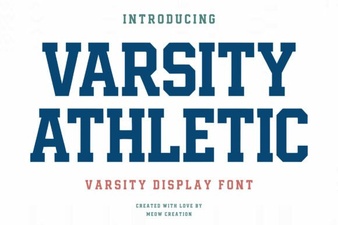 Design Bold Sports Logos with Varsity Athletic Font
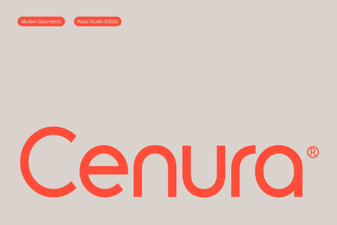 Cenura Font: a Modern Typeface for Creative Design Projects
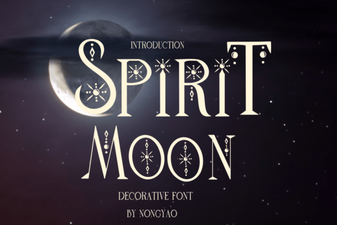 Spirit Moon Font: Ethereal Type Design for Creative Projects
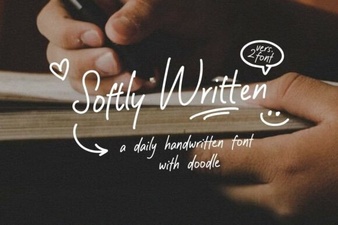 Softly Written Font for Elegant and Creative Design Projects
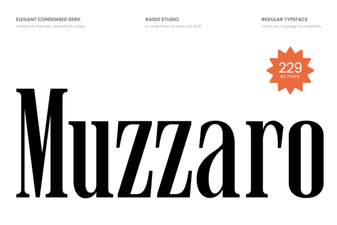 Muzzaro Font: Bold Display Typography for Creative Projects
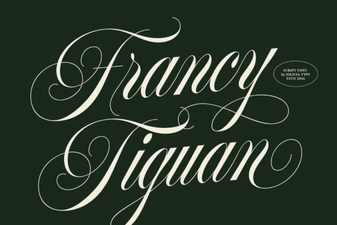 Francy Tiguan Font: a Stylish Choice for Modern Design