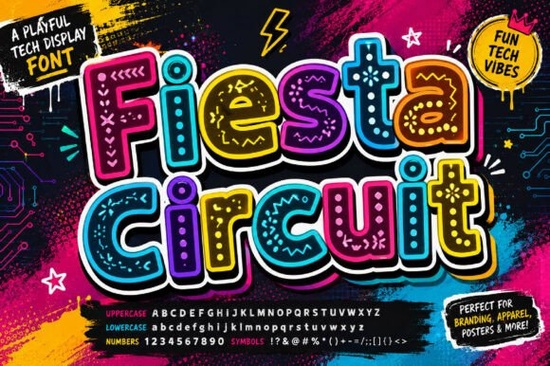
Looking for a typeface that feels like it belongs on a circuit board and a gaming poster at the same time? The Fiesta Circuit Font is a decorative display typeface built around bold, rounded letterforms covered in circuit-inspired details. It was made for projects that need a strong digital or electronic vibe think e-sport graphics, tech branding, event posters, and creative apparel designs.
Before we break down what makes this font worth adding to your toolkit, let's look at who it's really for and where it shines.
What Kind of Projects Is the Fiesta Circuit Font Best For?
This font was designed with a specific mood in mind: tech-futurism with personality. The letters have intricate circuit-board patterns woven into their shapes, which gives any text an instant electronic feel. Here are some practical uses that work well:
- E-sport and gaming graphics team logos, stream overlays, tournament banners
- Tech brand logos and labels startups, apps, gadget packaging
- Social media content YouTube thumbnails, Instagram stories, promotional posts
- Print-on-demand products t-shirts, hoodies, stickers, phone cases
- Event promotion tech conferences, hackathons, DJ nights, launch parties
- Poster and flyer design concert posters, festival promos, creative portfolios
Because the letterforms are bold and rounded, they stay readable even at larger display sizes, which is exactly where decorative fonts tend to struggle.
How Does Fiesta Circuit Compare to Other Decorative Fonts?
There's no shortage of decorative display fonts out there. The difference with Fiesta Circuit is that the circuit-themed detailing isn't just a surface effect it's baked into the structure of every letter. Each character reads like a small design piece on its own.
If you're browsing for other options with a similarly bold personality, fonts like Blaze font bring a fiery, energetic style, while something like the David font takes a more classic decorative approach. For projects that lean more mystical or nature-inspired, the Spirit Moon font offers a completely different atmosphere. And if you need something elegant for wedding or monogram work, the Dove Wedding Monogram font is worth a look.
Each of these fills a different creative need. Fiesta Circuit sits firmly in the tech and gaming lane, which is what makes it stand out.
Is This Font Beginner-Friendly?
You don't need advanced design skills to work with this font. It installs like any standard typeface just load it into your system or design software and start typing. It works well in programs like Adobe Illustrator, Photoshop, Canva, Cricut Design Space, and Silhouette Studio.
A few things to keep in mind:
- Because of its decorative nature, it works best at larger sizes think headers, logos, and display text rather than body copy.
- Pair it with a clean, simple sans-serif font for contrast in layouts that also need smaller text.
- Test it on your actual product mockups before committing to a print run, especially for apparel and stickers.
Where Can You Get the Fiesta Circuit Font?
You can find the Fiesta Circuit font on Creative Fabrica, a well-known marketplace for fonts, graphics, and design resources used by crafters and professionals alike. They offer individual purchases as well as subscription plans, which can be more cost-effective if you use a lot of design assets regularly.
Creative Fabrica also provides licensing details on each product page, so you can confirm the font fits your intended use whether that's personal projects or commercial print-on-demand sales.
Quick Checklist Before You Buy
Use this list to make sure the Fiesta Circuit Font is the right fit for your next project:
- Define your project type Is it a poster, logo, t-shirt design, or social media graphic?
- Check the mood match Does a circuit-board, tech-futurism style fit your brand or concept?
- Confirm licensing Make sure the license covers your intended commercial use.
- Choose a pairing font Pick a simple sans-serif for any supporting text in your design.
- Test at actual size Set up a mockup to see how the font looks on your specific product or medium.
Take a few minutes to preview the font with your own text before purchasing. Most design marketplaces let you type custom preview text, which helps you see exactly how the letters will look in your project context. That small step can save you time and money down the line.
Explore Design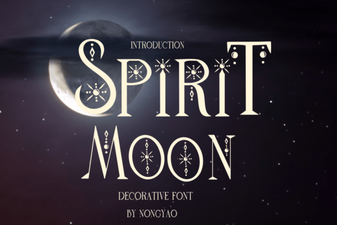 Spirit Moon Font: Ethereal Type Design for Creative Projects
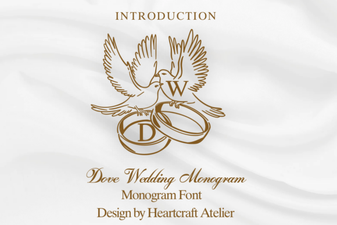 Elegant Dove Monogram Font for Weddings
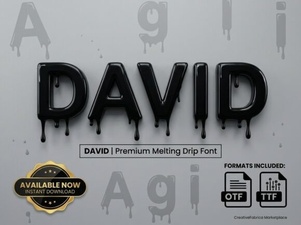 David Font: a Clean and Versatile Typeface for Modern Design
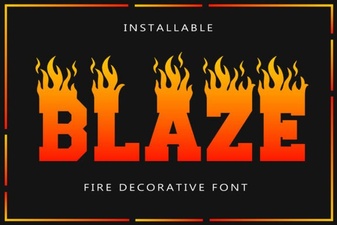 Blaze Font - Bold Decorative Typeface for Impactful Designs
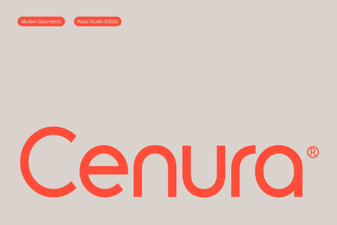 Cenura Font: a Modern Typeface for Creative Design Projects
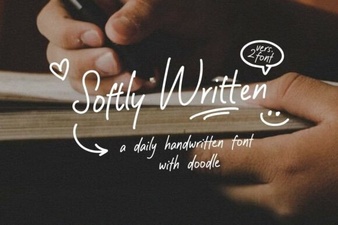 Softly Written Font for Elegant and Creative Design Projects