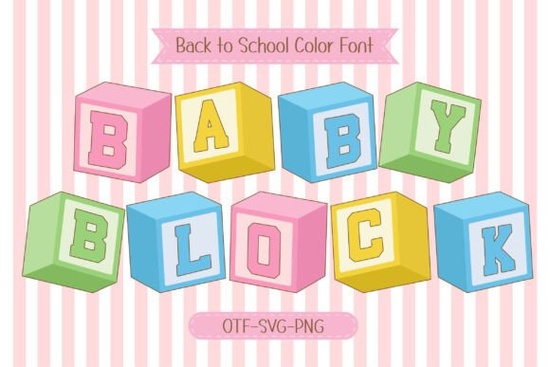
If you're working on a kids' design project and need a typeface that feels playful, colorful, and instantly recognizable, the Baby Block Font from Creative Fabrica is worth a close look. It takes the classic shape of alphabet toy blocks and turns them into a bold, modern typeface filled with soft pastel tones and cheerful colors. As a 4 Color Font, it brings a layered, eye-catching look to everything from classroom posters to print-on-demand merchandise.
Whether you're a designer building out a kids' brand, a crafter making DIY projects, or a small business owner selling children's products, this font has a lot of practical uses. Let's break down what makes it work and how you can use it effectively.
What Exactly Is a Color Font, and How Does It Work?
A color font (also called a chromatic font) is a typeface that includes built-in color information not just flat black or white glyphs. Instead, each letter carries multiple layers of color, giving it a painted or illustrated look right out of the box.
The Baby Block typeface is designed as a 4 Color Font, meaning each character features four distinct color layers inspired by soft pastels and bright, kid-friendly tones. When you type with it in a compatible application like Adobe Illustrator, Photoshop, or Affinity Designer you get those colors automatically without any extra editing.
This makes it especially useful for designers who want a colorful result without spending time on manual color fills or layering effects.
Who Is This Font Best Suited For?
This typeface isn't limited to one type of creator. Here are some groups that commonly find it useful:
- Print-on-demand sellers designing T-shirts, onesies, tote bags, and stickers for the kids' market
- Teachers and classroom creators making bulletin boards, name tags, alphabet posters, and flashcards
- Small businesses in the children's product space needing branding with a fun, approachable tone
- Crafters and hobbyists working on birthday invitations, baby shower decor, scrapbook pages, and party supplies
- Graphic designers building packaging, logos, or marketing materials for kid-focused brands
If your audience includes children, parents, or educators, a font like this fits naturally into your design toolkit.
What Design Projects Does It Work Well For?
Because of its blocky shape and colorful appearance, the Baby Block Font works especially well in projects that need to feel fun, educational, and approachable. Some specific examples include:
- School and learning materials alphabet charts, worksheets, reading aids
- Children's merchandise apparel, backpacks, water bottles, lunch boxes
- Party and event decor banners, cupcake toppers, invitation cards
- Digital content YouTube thumbnails, social media posts, blog headers for parenting or education niches
- DIY crafts vinyl decals, heat transfer projects, Cricut or Silhouette designs
The block-inspired letterforms give every design a tactile, toy-like quality that children respond to and that parents associate with learning and play.
How Does It Compare to Other Playful Fonts?
Creative Fabrica offers a wide range of Baby Block Font options in its library, but this one stands out because of its combination of bold sans serif structure and built-in color layers. Many playful fonts rely on decorative shapes alone, while this typeface balances readability with visual charm.
That said, it's always smart to pair it with a clean, simple font for body text. A basic sans serif or rounded typeface works well alongside it without competing for attention.
Tips for Getting the Best Results
To make the most of this color font, keep these practical points in mind:
- Use compatible software. Color fonts render best in design apps that support SVG or COLR font formats. Adobe Illustrator, Photoshop, and Affinity Designer are solid choices.
- Check your print setup. If you're sending designs to a print-on-demand service, confirm that their system supports color font rendering. Some platforms may flatten the colors.
- Scale thoughtfully. Bold, blocky fonts like this look best at larger sizes. For very small text, consider switching to a simpler typeface.
- Match your color palette. Since the font has built-in pastel tones, design your background and surrounding elements to complement not clash with those colors.
Quick Checklist Before You Buy
Before purchasing, run through this short checklist to make sure it's the right fit:
- ✔ Do you need a colorful, kid-friendly display font for headings or titles?
- ✔ Is your design software compatible with color font formats?
- ✔ Will your output method (print, digital, or both) support multi-color typefaces?
- ✔ Do you have a clean secondary font for longer text passages?
- ✔ Are you creating content for a children's or education-focused audience?
If you checked most of those boxes, this font is a practical addition to your collection. Head over to Creative Fabrica's colorful fonts section to grab it and start building your next kids' design project today.
Learn More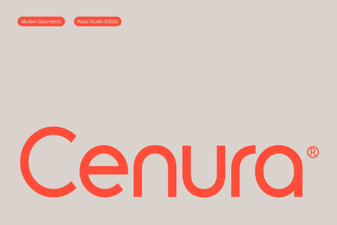 Cenura Font: a Modern Typeface for Creative Design Projects
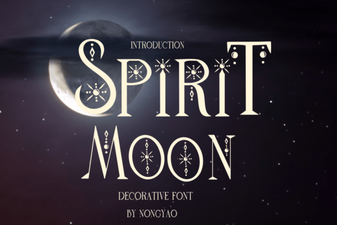 Spirit Moon Font: Ethereal Type Design for Creative Projects
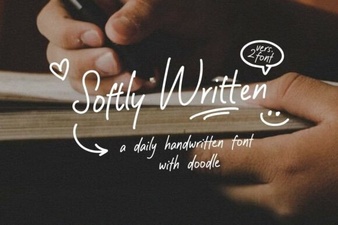 Softly Written Font for Elegant and Creative Design Projects
 Muzzaro Font: Bold Display Typography for Creative Projects
 Francy Tiguan Font: a Stylish Choice for Modern Design
 Vorn Font: Modern Typography for Creative Projects